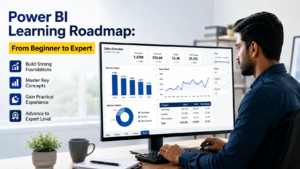
About the Power BI Training Course with Certification
Microsoft Power BI is a business intelligence and data visualisation platform that helps organisations transform raw data into meaningful insights. It enables users to connect data from different sources, prepare and model datasets, perform calculations, and create interactive reports and dashboards to support informed business decisions.
The Power BI Training Course with Certification covers the key skills required to work with Power BI, from data preparation and transformation to data modelling, DAX calculations, report development, and dashboard creation. Learners develop an understanding of how to analyse business data, identify trends, track performance, and present findings through clear, interactive visualisations.
Power BI skills are useful across finance, sales, marketing, operations, and business analytics. This Power BI certification course provides structured learning in data analysis and business reporting, helping learners understand how Power BI is used to turn business data into actionable insights.

Power BI Training Features
- Live Classes — Learn from anywhere with flexible online training.
- Study Material — Get helpful resources for self-study and revision.
- Recorded Classes — Access recorded sessions for easy revision anytime.
- 3 Practical Projects — Gain hands-on experience through relevant projects.
- Course Certification — Receive a certificate after completing the course.
- CV & Job Support — Get guidance with CV preparation and job search.
Power BI Projects
Build a sales dashboard to analyse overall performance, products, and regional sales using Power Query, Data Modeling, DAX, Time Intelligence, and interactive visualisations.
Create an HR dashboard to analyse employee data and attrition using data cleaning, DAX, KPIs, interactive filters, and business analysis.
Develop a finance dashboard to track revenue, expenses, profitability, and budgets using advanced DAX, YoY analysis, variance, profit margins, and running totals.
30-Day Power BI Course Curriculum
- Introduction to Business
- Intelligence and Power BI
- Power BI Desktop, Service and Mobile
- Power BI workflow, datasets, reports and dashboards
- Connecting Excel, CSV, text, folder and web data
- Tables, fields and data types
- Report, Data and Model views
- Creating and formatting reports
- Introduction to similar BI tools such as Tableau and Looker Studio
- Power Query and ETL fundamentals
- Query Editor and Applied Steps
- Data cleaning: duplicates, errors, blanks and data types
- Text and date transformations
Merge, Append, Group By, Pivot and Unpivot - Conditional and Custom Columns
Multi-source and folder-based workflows - ETL workflow and basic query optimisation
Data modelling fundamentals
Fact and dimension tables
Many-to-Many Relationships
Bridge Tables (Junction Tables)
Primary and foreign keys
Relationships and cardinality
Cross-filter direction
Active and inactive relationships
Star schema
Date and Calendar tables
Model organisation and optimisation
DAX fundamentals
Measures, calculated columns and calculated tables
Aggregation and business measures
Logical and conditional functions
Row context and filter context
CALCULATE, FILTER, ALL and REMOVEFILTERS
RELATED, VALUES and SELECTEDVALUE
Ranking and Top N analysis
Time intelligence: YTD, MTD, QTD, YoY and MoM
Running totals and previous-period analysis
Core Power BI visuals
Tables, matrices, cards, KPIs and charts
Visual selection for business requirements
Dashboard layout and design
Filters and slicers
Drill-down and drill-through
Cross-filtering and Edit Interactions
Bookmarks, buttons and page navigation
Tooltips and conditional formatting
Dynamic titles and cards
Power BI Service overview
Workspaces, reports, dashboards and semantic models
Publishing reports from Power BI Desktop
Workspace roles and permissions
Sharing and collaboration
Apps and export options
Manual and scheduled refresh
Data credentials and gateway
Import and DirectQuery
Import, DirectQuery and Live Connection
Connectivity modes and performance considerations
Row-Level Security (RLS)
Security roles and testing
Model and report optimisation
DAX and visual performance
Performance Analyzer
Common performance issues and optimisation
Complete workflow
Data cleaning and relationship setup
Business measures and KPIs
Interactive visuals, slicers and drill-through
Conditional formatting and dashboard design
Business insights and report optimisation
Publishing the final report to Power BI Service
Why Learn Power BI Skills?
- Develop In-Demand Data Skills — Build the practical capabilities required to work with business data and support data-driven decision-making in modern organisations.
- Build Strong Analytical Competencies — Learn to prepare, analyse, model, and visualise data to generate clear and meaningful business insights.
- Create Professional Business Reports — Develop the ability to design interactive dashboards and reports that effectively communicate key performance information.
- Expand Your Professional Capabilities — Apply Power BI skills across areas such as finance, sales, marketing, operations, and business analytics.
- Career Opportunities — Build Power BI skills that can support career paths such as Data Analyst, Business Intelligence (BI) Analyst, Business Analyst, Reporting Analyst, and Power BI Developer, depending on your experience and broader technical skills.
Course Overview
| Feature | Details |
|---|---|
| Duration | 30 Days |
| Timing | 2 Hours |
| Days | Monday to Friday |
| Language | Hindi/English |
| Students in One Batch | 20 |
| Mode | Online |
| Certificate | Yes |
| Assessments/Quizzes | Yes |
| Doubt Session | Yes |
Power BI Training Course with Certification
The Power BI Training Course with Certification provides a structured learning path covering the tools and techniques used to prepare, analyse, and visualise business data. The course covers the complete Power BI workflow, from connecting to data sources and preparing datasets to building data models, creating calculations, developing reports, and presenting business insights through interactive dashboards.
The Power BI certification course covers key topics such as Power Query, data cleaning and transformation, data modelling, table relationships, DAX calculations, time intelligence, data visualisation, dashboard design, filters, slicers, drill-throughs, and interactive reporting. Practical exercises using business datasets help learners understand how these features work together to support data analysis and reporting.
The training also covers Power BI Service, including report publishing, workspaces, sharing, data refresh, connectivity, Row-Level Security (RLS), and performance optimisation. Project-based learning in Sales, HR Analytics, and Finance & Profitability provides experience with different business reporting requirements. A final project brings these skills together in a published business dashboard.
This Microsoft Power BI training course helps learners develop a comprehensive understanding of data preparation, analysis, report development, and business intelligence workflows. It is suitable for those who want to build Power BI skills for business reporting, data analysis, and dashboard development across different business functions.
Are You Still Confused?
Choosing the right course can be difficult when you have different learning and career options to consider. If you’re unsure, book a free demo or get a free consultation with Inspizone India, an IT training institute in Lucknow, to understand the course structure and practical learning approach. If you prefer a shorter learning schedule, you can also explore our Microsoft Power BI Bootcamp, a 15-day training option focused on Power BI fundamentals, data modelling, DAX, and dashboard development. You can also explore other professional courses, including n8n Automation, WordPress, and Claude AI, based on your interests and goals.
Frequently Asked Questions (FAQ)
What is Power BI, and why should I learn it?
Power BI is a Microsoft business intelligence tool that helps you connect, clean, analyse, and visualise data through interactive reports and dashboards. Learning Power BI can help you work more effectively with data and build skills relevant to roles such as Data Analyst, Business Analyst, and Reporting Specialist.
What career opportunities can I pursue after completing a Power BI course?
A Power BI course can help you build practical skills for roles such as Data Analyst, Business Intelligence (BI) Analyst, Business Analyst, Reporting Analyst, and Power BI Developer. The opportunities you qualify for will depend on your overall skills, experience, and ability to work with data, reporting, and business requirements.
Do I need prior experience or technical knowledge to learn Power BI?
No. You do not need prior Power BI experience or advanced technical knowledge to join the course. Basic Excel and general computer skills are helpful, but the training starts with the fundamentals and gradually moves into practical Power BI concepts.
How long is the Power BI course?
The Power BI course is completed over 30 days, with structured training to help learners develop their Power BI skills step by step.
Who can enrol in this Power BI course?
This Power BI course is suitable for both freshers and working professionals, including learners who are starting from scratch as well as those looking to improve their existing Power BI skills.
Will I receive a certificate after completing the Power BI course?
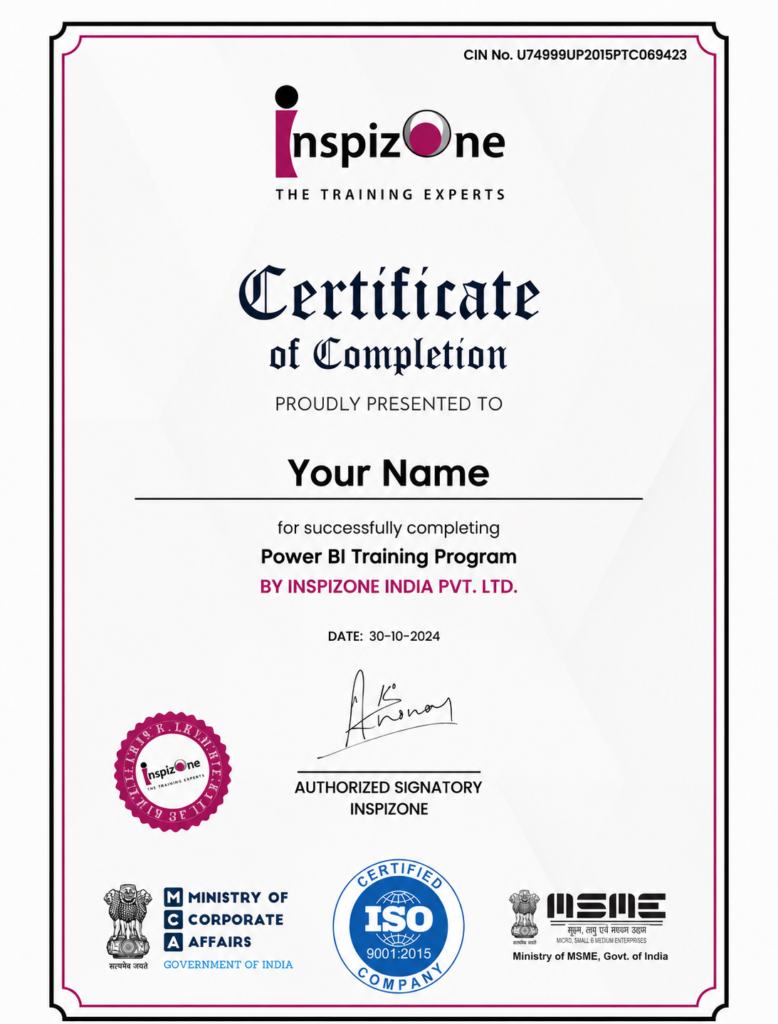
Yes. Students who successfully complete the Power BI course will receive a certificate from Inspizone India.
Is the Power BI course taught online or in a classroom?
The Power BI course is delivered through live online classes, with recorded sessions also provided for revision and later reference.
Do I need to install Power BI before the class?
No prior setup is required. You will be guided through the Power BI installation and setup process from scratch, so you can prepare your system before starting the practical training.
Can I learn or use Power BI on a Mac?
Power BI Desktop is not natively available for macOS. However, Mac users can accessPower BI Service through a web browser or use Power BI Desktop through a Windows virtual machine. The appropriate setup can be explained before you begin the practical training.
Will I get Power BI course materials and recordings?
Yes. Learners receive Power BI course materials and recorded class sessions for revision, practice, and future reference.
How can I enrol in the Power BI course or request more information?
You can contact Inspizone India to enquire about Power BI course enrolment, fees, schedule, and other details. The team can guide you through the registration process.

See how Inspizone India Studio’s courses help our students grow and succeed
Inspizone India’s summer training in Lucknow was amazing! The trainers explained everything clearly and the practical sessions helped me gain real skills in IoT and robotics.
The summer training at Inspizone was very well-structured. I learned Python programming and data analytics from scratch, and the trainers were super helpful throughout.
Inspizone India provides a perfect learning environment for students in Lucknow. The projects were practical, and I now feel confident applying the skills I learned in real-world scenarios.
The trainers at Inspizone India are highly skilled and approachable. They make difficult concepts easy and encourage students to work on innovative projects.
Inspizone India offers both online and offline summer training in Lucknow. I loved the flexibility and the hands-on learning approach – truly the best training experience!
Blogs and News