
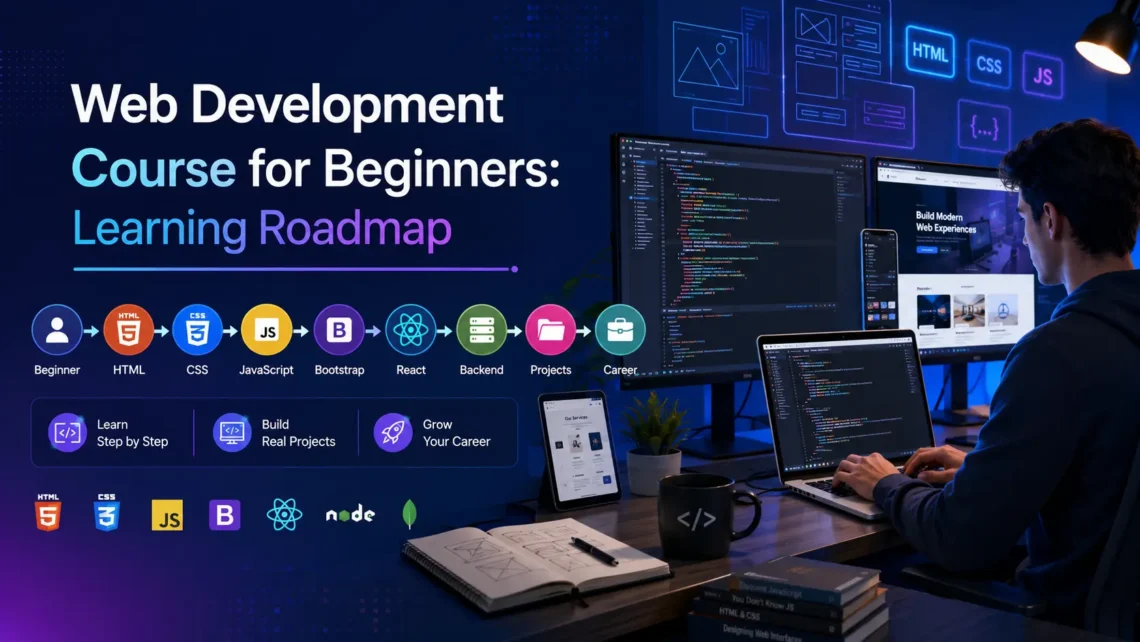
Web Development Course for Beginners (With a Learning Plan) 2026
People often say developer demand is falling, but companies are still actively hiring web developers. What has changed is what they expect. Employers now want people who can build real things, solve real problems, and work inside real teams.
For anyone trying to understand where to start, a web development course for beginners covers these skills in the right order, and a structured web development training course usually follows this same sequence step by step. This guide breaks down exactly what that order looks like.
What Companies Really Expect From Web Developers Today
Every business needs a working website. Every startup needs a web application. Every e-commerce brand needs a product page that loads fast and looks clean on a phone screen.
Problem solving and solid basics remain the core of the job. Developers who understand how systems work and can fix things when they break are the ones companies keep hiring.
The Core Web Development Skills Employers Are Hiring For
1. HTML and CSS: The Foundation of Everything
Many beginners assume HTML and CSS are outdated. Skipping these and jumping straight to frameworks usually costs learners time later.
HTML gives a webpage its structure. CSS controls how it looks, including font sizes, colors, spacing, and layout.
Employers want developers who can build layouts that work correctly on all screen sizes. This is called responsive design, and it is now a standard requirement, not a bonus skill.
Practicing with simple pages built from scratch and adjusting layouts cleanly across different screen widths is the fastest way to build this skill.
2. JavaScript: Making Pages Interactive
Once HTML and CSS feel comfortable, JavaScript is the next step.
JavaScript gives a webpage behavior. Without it, a page only displays information. It cannot respond to anything the user does.
When a food delivery app user taps Add to Cart, and the item appears without the whole page reloading. That is JavaScript doing its job.
For beginners, the focus should stay on variables, functions, loops, events, and how JavaScript interacts with page elements.
3. Backend Development and Databases: Where the Logic Lives
Backend development handles storing data, checking credentials, and processing requests, none of which is visible to the user.
When someone logs into any platform, a backend script checks whether their credentials match what is stored in the database. If they do, access is granted. None of that happens on the frontend.
The two most common combinations covered in a web development training course are PHP with MySQL and ASP.NET with SQL Server. These let developers build systems where users can register, log in, submit forms, and get personalized content.
Skipping backend limits a developer to static pages, and most real projects require more than that.
The Learning Plan: What to Learn First and Why Order Matters
One of the biggest problems beginners face is not the content itself but the sequence. Without a clear path, it is easy to jump between topics and never build anything complete. A beginner web development course gives you a clear sequence so nothing important gets skipped.
Weeks 1 to 3 — HTML and CSS
Build simple, clean pages that display correctly on both desktop and mobile. By the end of week three, you should be able to look at a simple website and have a rough sense of how its structure is put together.
Weeks 4 to 6 — JavaScript
Focus on variables, functions, loops, and conditional logic. A good project for this phase is a simple form validator that checks whether required fields are filled before allowing submission.
Weeks 7 to 10 — Backend and Databases
Pick either PHP with MySQL or ASP.NET and start learning how server-side logic works. A user registration and login system is a practical project here — it covers form handling, database queries, session management, and basic security thinking all in one place.
Week 11 Onwards — Deploy and Build a Portfolio
Push your projects to GitHub and deploy them to a live server. A portfolio with two or three working projects is more valuable in a job interview than a certificate with no practical work behind it.
The Skills Employers Notice But Rarely Advertise
Problem-solving over memorisation What employers watch during interviews is what a candidate does when something breaks. Every developer runs into bugs. The question is whether they work through it carefully, reading error messages, narrowing down the cause, and testing solutions.
Version control with Git and GitHub Almost every professional team uses Git. Learning Git basics, including repositories, commits, and pushing code, is simple and expected in any junior role.
Communication The ability to explain what is being built, flag when something is unclear, and communicate progress honestly is what separates professionals from people who simply know how to write code.
Why Self-Learning Alone Often Falls Short
Tutorials show how things work when everything goes right. They do not prepare learners for unfamiliar errors, real project briefs, or honest feedback on their work.
A web development training course gives learners real projects to work on, along with feedback when something is not right.
What to Take Away
Starting with HTML and CSS, adding JavaScript once that feels comfortable, and moving into backend development when ready to build applications that store and process real data cover the full path.
Building projects at every stage and keeping them visible matters. The developers getting hired today are the ones who can show what they have built and work through problems as part of a team.
A web development course for beginners provides the structure and real projects needed to get there. Learners who prefer building and managing sites without writing backend logic from scratch can also look at a WordPress development course as a parallel path into the field.





I love how everything is organized on this site. It makes finding my favorite games so much easier. A solid five stars for playtimept.
I really love the bonuses they offer for new players. It gave me a great head start to try out different slots. winbrl01 is the way to go.
No more struggling with broken links. This login page is fast and secure. It is the most convenient way to access ponislotlogin without any hassle.
Using Skrill for deposits here makes everything so much easier. Fast transactions and a wide selection of slots. onlinecasinoskrill is awesome.
[1349]Sontoto | Login Resmi Link Alternatif Situs Slot Gacor Terpercaya,Sontoto menyediakan akses login resmi dan link alternatif terbaru. Nikmati kemudahan daftar judi online terpercaya dengan opsi deposit via Dana. Gabung sekarang juga! visit: sontoto
Finally found a reliable link that actually works without any lag. The login process is super straightforward and secure. Cheers to perabetcasinologin.
I’ve been playing here for a while now and the interface is super smooth. Definitely one of the best spots for gaming. Check out inyk777 for a great experience!
Just joined a few days ago and I am already loving the community and the rewards. It feels like a very welcoming place. Check out vn15uy88 today.
Super friendly community and a great selection of slots. I always have a blast whenever I log into idcipung138.
The GCash integration is super smooth and fast. No more waiting for hours to get my funds. Love the experience on phplaytimegcash.
I’ve tried a few sites lately but this one really stands out. The interface is super smooth and the payouts are fast. Definitely worth a look for any serious player. Check out bjbaji888
[4758]09bad লগইন ও অ্যাপ ডাউনলোড | বিকাশ দিয়ে অনলাইন ক্যাসিনো,09bad লগইন করে সেরা স্লট গেম সাইটে যুক্ত হন। এখানে বিকাশ দিয়ে অনলাইন ক্যাসিনো খেলা সহজ। দ্রুত অ্যাপ ডাউনলোড করে গেম শুরু করুন। visit: 09bad
I’ve been playing here for a few weeks now and the payouts are surprisingly fast. Really liking the vibe of maxwincasino so far!