Businesses use multiple applications every day to manage customer enquiries, sales records, emails, marketing campaigns and internal operations. However, many of these activities still involve repetitive manual work. Employees often copy information between applications, send follow-up messages, update spreadsheets and prepare reports separately.
Workflow automation helps reduce this manual effort by connecting different applications and allowing them to exchange information automatically.
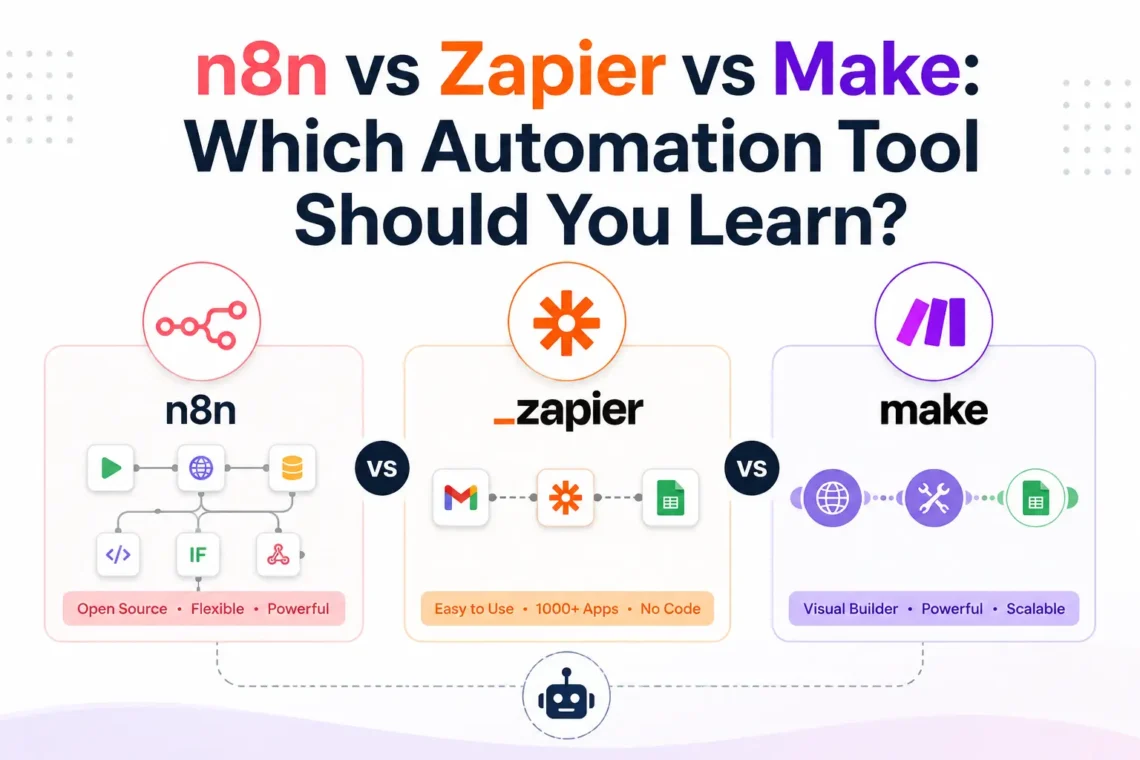
Three platforms that offer these capabilities are n8n, Zapier and Make. Although all three help automate business processes, they differ in workflow design, integrations, customisation, AI capabilities, hosting options and pricing.
Choosing between them depends on what you want to automate. A freelancer handling simple client tasks may have different requirements from a developer building an AI-powered customer support system or a business managing hundreds of daily enquiries.
In this guide, we will compare n8n vs Zapier vs Make based on their features, practical applications, learning requirements and pricing models. You will also understand which platform is worth learning in 2026 if you want to work with AI automation and business workflows.
If you want to develop these skills through practical training, you can also explore the n8n Automation Course in Lucknow.
What Are n8n, Zapier and Make?
n8n, Zapier and Make are workflow automation tools that connect applications and automate tasks without requiring users to write an entire program from scratch.
For example, when someone submits a contact form on a website, an automation can collect their details, save the information in Google Sheets, send an email notification and create a new CRM record.
The result is similar, but each platform provides a different way to create and manage the workflow.
What Is n8n?
n8n is a workflow automation platform that allows users to connect applications, process data and build custom automated processes through a visual editor.
Its workflow editor uses nodes connected by lines. Each node performs a particular operation, such as receiving information from a website, checking data, calling an API or sending a message.
For example, an n8n workflow can receive a customer enquiry, send the information to an AI model, identify the type of question and route it to the appropriate department.
Some important capabilities include:
- Visual workflow builder: Create workflows by connecting nodes.
- API integrations: Connect applications using APIs and HTTP requests.
- Webhook triggers: Start workflows when an external application sends data.
- Custom logic: Use conditions, expressions and JavaScript when required.
- AI integrations: Connect language models, memory and external tools to build AI-powered workflows.
- Self-hosting: Run n8n on your own infrastructure using its self-hosted deployment options.
- Workflow execution history: Review workflow runs and investigate errors.
One reason people explore n8n automation is its flexibility. It can handle straightforward application connections as well as workflows involving multiple conditions, APIs and AI services.
What Is Zapier?
Zapier is a no-code automation tool designed to connect applications and automate repetitive tasks through triggers and actions.
Its workflows are called Zaps. A Zap starts when a particular event occurs in one application and then performs one or more actions in connected applications.
For example, when someone fills out a Google Form, Zapier can add their information to a spreadsheet and send an automatic email.
Important features include:
- Zaps: Create automated workflows using triggers and actions.
- App integrations: Connect thousands of applications through its integration directory.
- Multi-step automation: Perform several actions within one Zap.
- Filters and paths: Apply conditions to control which actions run.
- AI-powered features: Use available AI integrations and automation capabilities.
- Business automation: Connect tools used for sales, marketing, customer support and administration.
Zapier is often a convenient starting point for people who want to automate everyday business tasks without dealing with complex workflow configurations.
What Is Make (Formerly Integromat)?
Make, previously known as Integromat, is a visual workflow automation platform that allows users to connect applications and design automation scenarios.
Its interface displays applications as modules connected on a visual canvas. Users can add filters, routers and different paths to control how information moves through a workflow.
For example, a business can receive customer enquiries through a website and route them differently depending on the enquiry type. Sales-related messages can go to the sales team, while support requests can be sent to customer service.
Its important features include:
- Visual scenario builder: Design workflows using connected modules.
- Routers: Send information through different workflow paths.
- Filters: Allow data to continue only when specified conditions are met.
- Data transformation: Process and organise information between applications.
- API connections: Connect applications through supported integrations and HTTP modules.
- AI integrations: Add AI services to automation scenarios.
- Execution monitoring: Review scenario runs and troubleshoot problems.
Make is useful when users want to see how information moves through a workflow and manage multiple conditions through a visual interface.
n8n vs Zapier vs Make: Quick Comparison at a Glance
Before looking at individual features, it helps to understand how these platforms differ.
| Feature | n8n | Zapier | Make |
| Workflow design | Node-based editor | Trigger and action-based | Visual scenario builder |
| Ease of use | Moderate learning curve | Beginner-friendly | Moderate learning curve |
| Coding requirements | Optional | Usually not required | Usually not required |
| Custom workflows | High flexibility | Depends on available actions and features | Flexible visual scenarios |
| Integrations | Built-in nodes and API connections | Large integration directory | Large integration directory |
| AI automation | AI nodes and agent workflows | AI-powered steps and agents | AI integrations and agent features |
| Self-hosting | Available | Not available as a standard deployment option | Not available as a standard deployment option |
| Data processing | Expressions, code and nodes | Built-in tools and code steps | Mapping and data transformation |
| Pricing measurement | Workflow executions | Tasks | Credits |
| Best suited for | Custom and AI workflows | Quick business automations | Visual multi-step automation |
The main difference is the level of control each platform offers. Zapier focuses on making application connections straightforward, Make provides a visual approach to designing complex scenarios, and n8n gives users more control over workflow logic and deployment.
There is no single winner for every situation. The right choice depends on the applications you use, the number of steps in your workflow and how much customisation you need.
How Do n8n, Zapier and Make Work?
To understand the practical difference, consider a business that receives customer enquiries through its website.
Every time someone submits a contact form, the business needs to:
- Collect the customer’s name, email address and enquiry.
- Save the information in Google Sheets or a CRM.
- Send a confirmation email to the customer.
- Notify the sales team.
- Assign the enquiry to the appropriate person.
An employee could perform these activities manually, but an automation workflow can handle them after the initial setup.
How Does Automation Work in n8n?
In n8n, you create a workflow by connecting nodes. Each node performs a specific task, and the output from one node can become the input for another.
For the lead-generation example, the workflow could operate as follows:
- Trigger: A form submission or webhook starts the workflow.
- Data processing: n8n receives the customer’s details and organises the information.
- Condition: An IF node checks the enquiry type or other relevant information.
- Google Sheets: The customer’s details are added to a spreadsheet.
- Email: An automated confirmation is sent to the customer.
- Notification: The sales team receives the new lead details.
You can also introduce additional conditions. For example, enquiries about course fees can be routed to the admissions team, while technical questions can go to the support department.
This approach becomes useful when a business needs more control over how information is processed and where it should go.
A beginner can learn how to build and run their first n8n workflow, including workflow creation, node configuration, app integrations, and automation projects through guided, step-by-step learning.
Zapier follows a trigger-and-action approach. A trigger identifies an event, while actions perform the tasks that should follow.
For the same lead-generation process:
- Select the form application as the trigger.
- Choose the new form submission event.
- Add Google Sheets as an action.
- Map the customer’s information to the correct spreadsheet columns.
- Add an email action to send a confirmation.
- Add another action to notify the sales team.
- Test and publish the Zap.
You do not need to design a node-based workflow. You select applications, choose events and configure the actions.
This makes Zapier convenient for businesses that want to connect common applications and automate routine activities without spending much time configuring workflow logic.
How Does an Automation Work in Make?
Make use of scenarios made up of connected modules. Each module represents an application or an operation.
For the lead-generation example:
- Create a new scenario.
- Add a webhook or supported form trigger.
- Connect a Google Sheets module.
- Add an email module.
- Configure a router if different enquiry types need separate paths.
- Add filters to determine which enquiries should follow each path.
- Map the incoming data to the required fields.
- Test and activate the scenario.
For instance, a router can send enquiries about admissions to one path and enquiries about technical support to another.
Make allows users to see these routes on the visual canvas, which can be helpful when working with multi-step business processes.
What does this example tell us?
All three platforms can automate the same business process. The difference lies in how you create the workflow, manage conditions, connect applications and control the information moving between them.
n8n vs Zapier vs Make: Detailed Feature Comparison
The best way to choose an automation platform is to look beyond its interface. A tool may be easy to use but offer limited control for a particular task. Another may require more learning but provide the flexibility needed for advanced projects.
Let’s compare the important features individually.
1. Ease of Use and Learning Curve
Ease of use matters when you are learning automation for the first time. However, a simple interface does not always mean a platform will be suitable for every type of project.
Zapier:
Zapier is generally the easiest starting point for basic application automation. Its interface guides users through selecting a trigger, choosing an action and connecting their accounts.
For example, a beginner can create a workflow that adds new form submissions to Google Sheets without understanding APIs or programming.
Make:
Make uses a visual drag-and-drop interface. Users connect modules and configure how information moves between them.
Its routers and filters provide more control over workflow paths, but beginners need time to understand data mapping and scenario execution.
n8n:
n8n also has a visual interface, but its flexibility introduces additional concepts. Beginners should understand nodes, triggers, expressions, JSON data and API connections as they move towards advanced workflows.
You can start without programming knowledge, but learning basic technical concepts makes it easier to build more customised automation systems.
| Learning requirement | Suitable starting point |
| Basic app connections | Zapier |
| Visual scenario building | Make |
| Custom workflows and AI integrations | n8n |
| Advanced API-based automation | n8n |
2. Integrations and App Connectivity
An automation platform is useful only when it can connect the applications you need.
Suppose a business uses Google Sheets for records, Gmail for communication, HubSpot for CRM management and Slack for internal notifications. The automation tool should support these applications and the specific actions required.
Zapier integrations
Zapier offers a large application directory covering business, marketing, productivity and customer management tools. Users can select supported triggers and actions without creating every connection manually.
It is suitable for common app-to-app connections, particularly when the required integration is already available.
Make integrations.
Make provides a large collection of app integrations through its visual scenario builder. Users can connect applications and configure individual modules to retrieve, create or update information.
Its HTTP modules also help users work with services through APIs when a suitable built-in module is unavailable.
n8n integrations
n8n provides built-in nodes for supported applications and services. It also offers HTTP Request nodes, webhooks and other options for connecting external APIs.
This is useful when a business needs to connect an application that does not have a ready-made integration for the required operation.
For example, you can use an API connection to send customer information to an external system and retrieve its response within the same workflow.
3. AI Automation and AI Agent Capabilities
AI automation is one of the major reasons businesses are exploring workflow automation platforms.
Traditional automation follows predefined instructions. For example, when a customer submits a form, the workflow saves their details and sends an email.
AI-powered automation can introduce additional capabilities, such as understanding a customer message, extracting information, classifying enquiries and preparing a relevant response.
However, AI workflow automation and AI agents are not exactly the same.
An AI workflow may use a model to perform one specific task within a predefined process. An AI agent can use connected tools to decide which permitted action to take based on the information it receives.
Let’s see how the three platforms support these requirements.
AI automation in n8n
n8n provides AI-related nodes and integrations that allow users to connect language models and build AI-powered workflows.
You can use it to:
- Generate responses to customer enquiries.
- Extract information from documents.
- Classify incoming emails.
- Create AI-powered chatbots.
- Connect language models with external tools.
- Build AI agent workflows.
- Combine AI processing with CRM and business applications.
For example, an online training institute receives enquiries about different courses. An n8n workflow can pass the enquiry to an AI model, identify the course being requested and route the information to the relevant team. An AI agent can also be connected to specific tools so it can retrieve information or perform permitted actions.
AI automation in Zapier
Zapier provides AI-related automation features, including AI by Zapier, agents and connections to external AI services.
Businesses can use these features to:
- Classify customer messages.
- Extract information from incoming emails.
- Generate email drafts.
- Summarise customer enquiries.
- Connect AI processing with business applications.
- Build agent-based workflows with permitted tools.
For example, a support team can use an AI step to identify whether an incoming message relates to billing, technical support or general information and then route it accordingly.
AI automation in Make
Make allows users to add AI services and related modules to their scenarios. It also provides AI-focused tools for creating more advanced automation processes.
Possible applications include:
- AI-based content processing.
- Customer message classification.
- Document information extraction.
- Automated email responses.
- AI-assisted data processing.
- Connecting AI services with multiple applications.
- Building AI-powered scenarios and agents.
For example, an e-commerce business can receive customer messages, process them through an AI service and route them to the appropriate department based on the identified issue.
4. Workflow Complexity and Customisation
Simple automation usually follows a fixed sequence. However, business processes often become more complicated when they involve different customer types, approval requirements, data validation and multiple applications.
Consider an online business that receives 500 enquiries every month. It wants to identify high-priority leads, send different messages based on the enquiry type, update its CRM and notify the relevant employee.
Each platform can approach this requirement differently.
n8n: Users can combine IF nodes, Switch nodes, loops, expressions, sub-workflows and code where required. This provides flexibility when creating workflows with custom conditions and data processing.
Zapier: Users can create multi-step Zaps and use features such as Filters, Paths, Formatter and Code by Zapier, depending on their plan and requirements. This is useful for extending standard app-to-app automation.
Make: Users can create scenarios with routers, filters, iterators, aggregators and data mapping. Its visual layout makes it easier to understand how information travels through multiple branches.
For example:
- High-priority enquiries go to the sales manager.
- Course-related enquiries go to the admissions team.
- General questions receive an automated
- acknowledgement.
- Incomplete records are sent for manual review.
5. Pricing Models and Running Costs
Pricing is an important consideration, especially when you plan to run workflows regularly.
A platform may look affordable when you create a few automations, but the cost can change as the number of workflow runs, actions and AI requests increases.
The three platforms use different billing methods.
n8n pricing
n8n Cloud pricing is based on workflow executions. An execution represents a run of the workflow from start to finish, rather than charging separately for every node in that workflow.
For example, if a workflow contains eight nodes and runs 100 times, the basic execution count is 100 production workflow executions, not 800 individual node executions.
n8n also offers a self-hosted Community Edition. Users can run it on their own infrastructure, but they are responsible for hosting, maintenance, updates and security. External services and AI model APIs may involve separate costs.
Zapier pricing
Zapier uses tasks as a major billing unit. In standard Zaps, successful action steps generally count towards task usage.
For example, if a Zap successfully adds a row to Google Sheets and sends an email, these two successful actions generally use two tasks.
Some built-in steps do not consume tasks, while AI features and other specialised actions can have different usage rates.
Make pricing
Make uses credits as its billing unit. For many standard app modules, each operation consumes one credit. However, some AI-related features and other modules can use credits differently.
For example, a scenario that retrieves a customer record, updates a spreadsheet and sends an email may consume credits for each module operation.
HOW THE BILLING MODELS DIFFER
| Platform | What is measured? | Main cost consideration |
| n8n | Workflow executions | Number of production workflow runs |
| Zapier | Tasks | Successful action steps and applicable usage rates |
| Make | Credits | Module operations and applicable AI usage |
Practical pricing example
Suppose a business creates a workflow that performs five actions every time a new lead arrives. The workflow runs 1,000 times in a month.
- In n8n Cloud, this represents approximately 1,000 production workflow executions.
- In a standard Zapier workflow, five successful billable actions per run could represent approximately 5,000 tasks.
- In Make, five standard billable module operations per run could represent approximately 5,000 credits.
This is an illustrative calculation, not a direct price comparison. Actual usage depends on the trigger, filters, built-in steps, AI features, retries and plan-specific billing rules.
Verdict: n8n’s execution-based pricing can be attractive for workflows with many steps. Zapier requires attention to successful task usage, while Make users should monitor credits as scenarios become more complex.
Always calculate the expected monthly usage before selecting a paid plan.
6. Cloud Hosting, Self-Hosting and Data Control
Hosting determines where your automation platform runs and who manages its infrastructure.
This is an important difference between n8n, Zapier and Make, particularly for developers and businesses handling sensitive information.
n8n: Cloud and self-hosted options
n8n offers both managed cloud hosting and self-hosting.
With n8n Cloud, the platform manages the infrastructure, so users can concentrate on creating workflows.
With self-hosting, users can install n8n on their own server or hosting environment. This gives them greater control over deployment, configuration and data location.
However, self-hosting also involves responsibilities such as:
- Server configuration.
- Software updates.
- Database management.
- Backups.
- Security settings.
- Monitoring and maintenance.
Zapier: Managed cloud platform
Zapier is primarily a cloud-based service. Users create and manage their workflows through its online platform.
There is no standard self-hosted deployment option for running the complete Zapier automation platform on your own server.
This approach is convenient for businesses that prefer not to manage servers or software infrastructure.
Make: Managed cloud platform
Make also provides a cloud-based automation environment. Users create scenarios through its online interface without installing and maintaining the complete platform on their own infrastructure.
This makes it convenient for businesses that want to build visual workflows without managing server operations.
| Requirement | n8n | Zapier | Make |
| Managed cloud hosting | Yes | Yes | Yes |
| Standard self-hosted deployment | Yes | No | No |
| Control over deployment environment | Greater with self-hosting | Limited | Limited |
| Server maintenance | Required when self-hosted | Managed by platform | Managed by platform |
7. Error Handling, Monitoring and Workflow Reliability
An automation workflow must do more than run successfully once. It should also handle unexpected situations.
For example, imagine that a customer submits an enquiry, but the CRM application is temporarily unavailable. What happens to the customer’s information?
A well-designed workflow should account for such problems.
n8n
n8n provides execution history, error information, retry options and error workflows. Users can inspect individual workflow executions to identify which node failed and examine the available execution data.
This helps when troubleshooting API errors, incorrect data and failed application connections.
Zapier
Zapier provides task history and workflow monitoring features. Depending on the plan and configuration, users can also use features such as Autoreplay to retry failed actions.
This is helpful when an application connection temporarily fails or an action needs to be attempted again.
Make
Make provides scenario execution history, error handling routes and tools for managing failed operations. Users can configure error handlers to determine what should happen when a module encounters a problem. For example, an unsuccessful CRM update could be routed to a separate error-handling path rather than stopping without any notification.
n8n vs Zapier vs Make: Which Tool Is Best for Different Use Cases?
Comparing features is useful, but most people choose an automation platform based on the work they need to complete.
Let’s look at some common business requirements.
Best Tool for Lead Generation and CRM Automation
Lead generation involves collecting prospect information, organising records and following up with potential customers.
A typical workflow might include:
- Collecting information through a website form.
- Adding new leads to a CRM.
- Sending confirmation emails.
- Assigning leads to sales representatives.
- Sending notifications.
- Updating lead status.
Zapier is a convenient option when you want to connect popular form applications, email platforms and CRMs quickly.
Make is useful when different types of leads need to follow different routes based on filters and conditions.
n8n is worth considering when the lead-generation system involves custom APIs, AI-based lead qualification or more complex processing.
Best Tool for Email and Marketing Automation
Marketing teams handle email campaigns, customer lists, content schedules and lead follow-ups.
For example, when someone downloads an e-book, an automation can add their details to a marketing platform, notify the sales team and start a follow-up process.
Zapier: Useful for connecting common marketing applications and automating straightforward actions.
Make: Suitable for visual marketing workflows with multiple branches and data transformations.
n8n: Useful for custom marketing systems involving APIs, data processing and AI-generated content.
The choice depends on the marketing applications you use and the complexity of your campaigns.
Best Tool for AI Chatbots and Customer Support
Customer support teams receive questions about products, services, payments, orders and technical issues. An AI-powered support workflow can process incoming messages, identify the topic and prepare a response or route the request to the right employee.
For example, a customer sends a message asking about an order. The automation retrieves relevant order information, prepares a response and sends the case for human review when necessary.
n8n is worth exploring for custom AI chatbot workflows involving external tools, APIs and business databases.Zapier can connect AI services with support applications and automate ticket-related tasks.
Make can create visual scenarios that connect messaging applications, AI services and customer management systems.
The important consideration is whether the workflow can access accurate customer information and handle situations where an AI-generated answer needs human review.
Best Tool for Business Process Automation
Businesses can automate many internal activities, including:
- Invoice data collection.
- Payment reminders.
- Employee onboarding notifications.
- Daily reporting.
- Document processing.
- Customer record updates.
- Internal approval notifications.
- Zapier is convenient for common business application connections.
- Make provides visual control over multi-step processes, while n8n offers flexibility for custom business logic and API integrations.
Best Tool for AI Agents and Advanced Automation
An AI agent can use connected tools to perform specific tasks based on instructions and available information.
For example, an AI agent for a training institute could:
- Receive a student’s course enquiry.
- Identify the course they are interested in.
- Retrieve relevant course information from an approved source.
- Prepare a response.
- Create a lead record.
- Request human approval before sending sensitive or important information.
n8n is a strong platform to explore for this type of custom workflow because it supports AI-related nodes, tool connections and custom logic.
Zapier and Make also offer AI agent and AI automation capabilities, so the decision should be based on the required tools, level of control and deployment needs.
Advantages and Disadvantages of n8n, Zapier and Make
Each platform has strengths, but there are also limitations to consider before choosing one.
Advantages and Disadvantages of n8n
Advantages
Supports cloud and self-hosted deployment.
Offers flexibility for custom workflow development.
Provides API and webhook connections.
Supports AI integrations and agent workflows.
Uses execution-based billing for its cloud plans.
Allows users to extend workflows using code when required.
Disadvantages
Advanced workflows require time to learn.
Self-hosting involves server maintenance.
Custom API connections may require technical understanding.
Complex workflows need proper testing and monitoring.
Advantages and Disadvantages of Zapier
Advantages
Beginner-friendly interface.
Large application integration directory.
Convenient for common business tasks.
Supports multi-step automation.
Offers AI-related automation features.
Does not require users to manage hosting infrastructure.
Disadvantages
Task usage can increase with multi-step workflows.
Customisation depends on available actions and features.
No standard self-hosted deployment option.
Some advanced features require paid plans.
Which Automation Tool Should You Learn in 2026?
The right platform depends on your background, career goals and the kind of automation projects you want to build.
Instead of choosing a tool simply because it is popular, consider how you plan to use it.
Should Beginners Learn n8n, Zapier or Make?
If you have never worked with automation, start by understanding how triggers, actions and workflow conditions operate.
Zapier is a good starting point for basic app connections. Make helps you understand visual workflow design, while n8n introduces you to nodes, data handling and custom workflow logic.
If your goal is to progress towards more advanced automation, learning n8n can help you understand APIs, webhooks, AI integrations and workflow development.
You do not need to learn all three platforms at the same time. Start with one and build a few complete projects before moving to another.
Which Platform Is Better for Learning AI Automation?
If you want to develop skills in AI workflow automation, pay attention to how each platform handles AI models, external tools, data processing and custom logic.
n8n is particularly worth exploring if you want to build AI agents that interact with APIs and other applications.
Make and Zapier are also useful for connecting AI services with business applications.
For long-term learning, focus on understanding the concepts behind automation. Knowing how APIs, webhooks, JSON, triggers and AI models work will help you use different platforms more effectively.
What Skills Should You Learn Alongside Workflow Automation?
Learning how to use an automation platform is a good starting point, but building reliable workflows requires an understanding of how applications exchange information.
You do not need to become a software developer before starting. However, learning a few related concepts will help you handle more advanced projects.
1. Workflow Logic and Process Mapping
Understand how to break a manual process into smaller steps.
For example, a customer support workflow may involve receiving a message, checking its category, assigning it to an employee and sending a notification.
Learn how triggers, actions, conditions and workflow branches work.
2. APIs and Webhooks
An API allows applications to communicate and exchange information. A webhook sends information to another application when a particular event occurs.
Understanding these concepts helps you connect services that do not have a ready-made integration.
3. JSON and Data Handling
Automation workflows frequently transfer information in JSON format.
Learn how to identify fields, read nested data, map values and transform information between applications.
For example, you may receive a customer’s name, email address and phone number from a website form and need to send those details to a CRM.
4. AI Tools and Prompt Writing
Learn how to connect AI models with automation workflows.
You can use AI for email classification, document extraction, content generation, customer query processing and other tasks.
Also understand how to write clear prompts and check AI-generated results before using them in business processes.
5. Testing and Troubleshooting
A workflow that works with sample information may fail when it receives unexpected data.
Learn how to:
- Test individual workflow steps.
- Identify incorrect data fields.
- Check failed API requests.
- Handle missing information.
- Configure error notifications.
- Review workflow execution history.
These skills help you build automation systems that can be maintained after deployment.
Can You Learn n8n Without Coding?
Yes. You can create many n8n workflows without coding by using the visual editor, built-in nodes and available integrations.
For example, connecting Google Sheets with Gmail to send an automatic email does not require writing an entire program.
However, more advanced projects may require an understanding of JSON, API requests, expressions and JavaScript.
You can begin with the visual tools and learn these technical concepts as your projects become more complex.
How Long Does It Take to Learn n8n?
The time required depends on your previous experience and how regularly you practise.
A beginner can start by learning the interface, triggers and basic integrations. More advanced areas, such as API connections, AI agents, data processing and deployment, require additional practice.
Building complete projects is a better way to measure your progress than simply counting the number of lessons completed
Learn Practical n8n Workflow Automation with Inspizone
If you want to move beyond basic automation and learn how to build workflows for actual business requirements, practical training can help you understand the platform step by step.
The n8n Automation Course in Lucknow at Inspizone India introduces learners to workflow creation, application integrations, AI automation and practical projects.
The course is designed for beginners as well as students and professionals who want to understand how different applications can work together through automation.
Explore the n8n Automation Course in Lucknow to check the curriculum, duration, fees and available batches.